

How To Enable 5G
Learn how to activate 5G on your device and enjoy faster speeds, improved connectivity, and enhanced mobile experience.
Follow the step-by-step guides below for iOS, Android, and tablets.
iPhone (iOS)*.

1 Connect to the 5G network to take advantage of the fastest mobile connection available. Follow these steps to learn how to activate 5G on your Apple iPhone Air.
2 Go to the Home screen. Choose Settings.
3 Scroll down. Choose . Cellular
4 Choose Cellular Data Options.
5 Choose Voice & Data.
6 Choose 5G Auto.
7The Apple iPhone Air has now been configured for use of 5G networks. Return to the Home screen.
1 / 3
iPad (iOS).
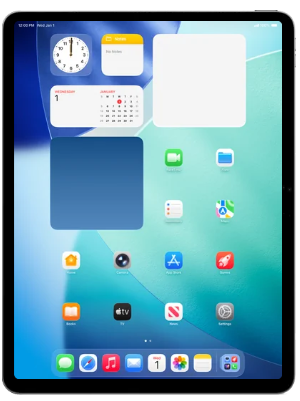
1 Connect to the 5G network to take advantage of the fastest mobile connection available. Follow these steps to learn how to activate 5G on your Apple iPad Air 13” (M4).
2 Go to the Home screen. Choose Settings.
3 Scroll down the left menu. Choose Cellular Data.
4 Choose Cellular Data Options.
5 Choose Data.
6 Choose 5G Auto.
7 The Apple iPad Air 13” (M4) has now been configured for use of 5G networks. Return to the Home screen.
1 / 3
Android*.
 1 Connect to the 5G network to take advantage of the fastest mobile connection available. Follow these steps to learn how to activate 5G on your Samsung Galaxy S25+.
2 Go to the Home screen. To open the menu, swipe up on the screen.
3 Choose Settings.
4 Scroll down. Choose Connections.
5 Choose Mobile networks..
6 Turn on Allow 5G service.
7 The Samsung Galaxy S25+ has now been configured for use of 5G networks. Return to the Home screen.
1 / 3
1 Connect to the 5G network to take advantage of the fastest mobile connection available. Follow these steps to learn how to activate 5G on your Samsung Galaxy S25+.
2 Go to the Home screen. To open the menu, swipe up on the screen.
3 Choose Settings.
4 Scroll down. Choose Connections.
5 Choose Mobile networks..
6 Turn on Allow 5G service.
7 The Samsung Galaxy S25+ has now been configured for use of 5G networks. Return to the Home screen.
1 / 3
Tablet Android*.
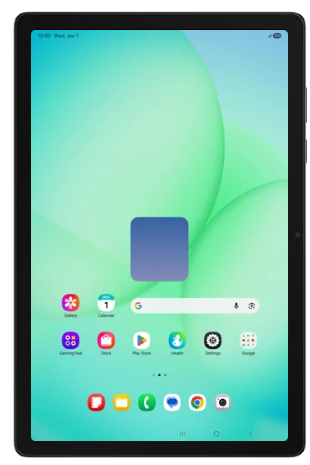 1 Connect to the 5G network to take advantage of the fastest mobile connection available. Follow these steps to learn how to activate 5G on your Samsung Galaxy Tab A11+ 5G.
2 Go to the Home screen. To open the menu, swipe up on the screen.
3 Choose Settings.
4 Scroll down the left menu. Choose Connections.
5 Choose Mobile networks.
6 Turn on Allow 5G service.
7 The Samsung Galaxy Tab A11+ 5G has now been configured for use of 5G networks. Return to the Home screen.
1 / 3
1 Connect to the 5G network to take advantage of the fastest mobile connection available. Follow these steps to learn how to activate 5G on your Samsung Galaxy Tab A11+ 5G.
2 Go to the Home screen. To open the menu, swipe up on the screen.
3 Choose Settings.
4 Scroll down the left menu. Choose Connections.
5 Choose Mobile networks.
6 Turn on Allow 5G service.
7 The Samsung Galaxy Tab A11+ 5G has now been configured for use of 5G networks. Return to the Home screen.
1 / 3
Latest News
1 Connect to the 5G network to take advantage of the fastest mobile connection available. Follow these steps to learn how to activate 5G on your Samsung Galaxy S25+.
2 Go to the Home screen. To open the menu, swipe up on the screen.
3 Choose Settings.
4 Scroll down. Choose Connections.
5 Choose Mobile networks..
6 Turn on Allow 5G service.
7 The Samsung Galaxy S25+ has now been configured for use of 5G networks. Return to the Home screen.
1 / 3
1 Connect to the 5G network to take advantage of the fastest mobile connection available. Follow these steps to learn how to activate 5G on your Samsung Galaxy Tab A11+ 5G.
2 Go to the Home screen. To open the menu, swipe up on the screen.
3 Choose Settings.
4 Scroll down the left menu. Choose Connections.
5 Choose Mobile networks.
6 Turn on Allow 5G service.
7 The Samsung Galaxy Tab A11+ 5G has now been configured for use of 5G networks. Return to the Home screen.
1 / 3

